Dr Who? Oh you better find out!

2012831-doctor-who

I was just talking with a Radiologist yesterday about a project that he thought was important to pursue.  I thought to myself that we had really developed a good working relationship, over the years.  It also got me to thinking about how many IIPs just starting out, understand that these relationships are important.  The road to a great relationship is better built on regular rounding than infrequent visits.

Infrequent visits typically occur when an issue has sprung it ugly head.  Your Radiologist/Cardiologist is probably highly annoyed that his workflow has been disturbed and breathing down your neck to get it fixed.  He has now made it abundantly clear that your Face=Trouble, with a capital T that rhymes with P and you know where that leads!

Do yourself and your mentor/boss a favor.  Making regular rounds when things are Good= Brilliant!  Talk with your doctors and find out what makes them tick.  Maybe one like to fish.  Another likes to read.  It doesn’t really matter, just do it.  It doesn’t have to take more than sticking your head in the door and saying, “Hi! Any issues?”  More than likely, nothings going on but now the doc has seen you during good times!

You’ll learn who really cares to say hi and who just wants to be left alone.  Who’s your best choice for a voice dictation champion or who’s better for hanging protocols.  You’ll find that they really want to help their partners for the most part, because it gets cases read and their workflow manageable.  Not only that but you’ll meet some very good people that enjoy talking about PCs, PACS, MACS, and Dr. Who!


View Cal Freundt's profile on LinkedIn


Conversations 101: Listening

keep-calm-and-thank-you-for-listening-32

How often do we tell ourselves ‘what good listeners we are’?  As well meaning as we tend to think we are, often times we’re reminded by someone or some project, that we may need a refresher course.  These examples are textbook.  This is what we were taught and it’s use is essential in communicating effectively.

We are always hearing but listening involves more than just the ears.  Keep your eyes and ears focused on your subject. A smile and a nod will go a long way to assure your conversational partner that you haven’t fallen asleep standing up or that you’re thinking ahead.  Actively participate in hearing.  You will have your time to speak.

If you’re listening to someone frantic or puzzled, it’s obvious that either you missed something that was said or something indicated by their body language.  That’s where those eyes come into play.  See the whole picture, not just the lips moving.  Maybe they’re just having a bad day or perhaps excited to tell you about the newest thing in technology that your medical facility should invest in.  It would stink to pass up on a hint of something that important, just to find it out 3 years too late.

Bite your tongue and stop thinking of a response before you even have a chance to hear what’s being said.  It may be the tone of the conversation that has you getting defensive and coming up with an excuse, when in fact, everything that needs addressing is being said to you and you’re missing it.

Remember when I said you’d have your turn to speak?  Well, use that time effectively.  Imagine a time you were upset by receiving something you really wanted, like that perfectly cooked rare steak and it came out medium.  How great would it be to hear a response by the waitstaff that noticed your disappointed look, ‘Sir/Ma’am, Is there an issue?  I would love to make your disappointment go away.’  Wow, you didn’t even get to complain and your waitress got a giant tip!

If you are using the above talents of watching and really hearing, you may be able to head off the same disappointment from one of your coworkers or clients.  It might even be someone in your family.  Effective listening isn’t limited to business.  Every conversation is a great time to practice.  And we all know, Practice makes Perfect!


View Cal Freundt's profile on LinkedIn


Understand your Workflow before explaining it to your Audience

Disconnect1

Below is an example of explaining to your audience the necessary information they need to perform their assigned duty.  A report writer needs to assemble data from several systems to create a business report for the Radiology Director.

Several things we need to combine in a report from the Radiology systems come from:

GE Centricity PACS: Image Archive and Viewing system

Powerscribe: Nuance Dragon-based Dictation and Reporting system.

connectR: Interface module for Radiology Information system.

PACS, RIS, and Powerscribe are three independent systems.  Each with its own status names and values.  The following is a list of those statuses for each system:

PACS

40 – Image arrived in PACS                                       60 – Dictated (Read in PACS)

50 – Verified (In read queue)                                     90 – Completed (From RIS signed report hits interface)

RIS

Arrived- Patient in area

Complete – Patient exam has been completed and ready to be read.  (This may stay in this status for   quite some time, depending on how long it takes the Rad to sign it of)

Final – Signed report has been received through interface

Powerscribe

Trans – Exam being Transcribe

Sign – Exam is being edited and waiting for signature

Signed – exam signed and waiting 3 minutes before being sent to interface as fail-safe

Purge Ready – Exam successfully passed from Powerscribe interface and set to purge from system (180 days)

A Radiologist uses PACS to open and view images for all radiology studies.  He uses a worklist to pick the modality (US, CT, MR,…) he/she is reading for the day.  We have PACS and Powerscribe set up through a desktop interface called Extends to link the current image exam with the diagnostic reporting system, Powerscribe. When the Rad opens the study in PACS, Extends pushes the accession number locally to Powerscribe and makes the report available for dictation.

After the dictation is completed and the Rad closes the exam in PACS, the Radiologist will press F6 on their keyboard which will mark the Exam in PACS Dictated.  The dictation is either signed immediately by a Rad that edits his own report or after transcription has edited and sent back for signature.  After the report is finalized or signed,  connectR interface sends a flag to change the status in PACS to Completed.  So at this point in PACS we have the exam marked Completed.  In RIS, marked Final, and in Powerscribe, marked Purge ready.

There are times when for some reason, whether interrupted by tech, MD, phone call, that a RAD may inadvertently press an F6 when just reviewing an exam and not actually reading an exam.  This will mark the exam Dictated in PACS and take the study out of the read queue.  During the morning QA of these systems, we will look for studies marked Dictated in PACS and compare with Powerscribe to make sure there is a report for the exam.  If there are reports in Powerscribe but not signed off yet, that’s ok.  If there is no report at all for the accession number, then generally a Rad has marked it Dictated without reading a report.  We will put the exam back into the Rad read queue.  We are able to catch these during the week but when this occurs on Friday or over the weekend, it may be several days before discovered.

This queue is always moving, from 07:00 to 23:00 daily.  The radiologists have the ER cases after 11:00pm sent to an offsite reading service until about 07:00 the next morning.  Those reports will not affect the interfaces as the paper report will be faxed back to the hospital and scanned into PACS.

Notice the explanation in clear terms. No jargon or shortcuts.  Write your next Statement of Work or request explaining as you are performing the process.  You know what every aspect of what you are doing.  Your end-user doesn’t.  Take your time, double check the sequence, and turn in a well thought out process.

View Cal Freundt's profile on LinkedIn

Living in the Bleeding Edge

I mentioned in an earlier post that we in imaging informatics live with our minds ahead of reality. Technology never seems to be quite where we are at the moment we need it. I just read Herman Oosterwijk’s recent article about DICOM Do’s and Don’ts. He mentions modalities and SOP and how to use the most up-to-date available tags for your modality. This is really a keen insight. After most PACS installations when the users become more adapted to using digital content, the original system set ups are found to be obsolete. If not obsolete, then very inefficient. We restructured our entire body parts library to make DDPs more intimate for the radiologists that really understood where they wanted to go. When this happens to you, don’t take it personally. There is no way, even with the best project manager, that you can anticipate where your users minds will be in three years much less, ten years down the road. Take some time and read Herman’s blog. It’s worth a Google but here it is! http://blog.otechimg.com/2015/08/top-dicom-configuration-dos-and-donts.html


View Cal Freundt's profile on LinkedIn


ILM – The Sequel

2964150825_de8649cc2f

Last time we talked about how to set up parameters to purge a study from your storage.  Hopefully you’ve given it a try and found out, “Hey, this isn’t Rocket Surgery”.  It isn’t but it can be tedious.  As suggested in prior post, to begin using your ILM, it is imperative to set up all your rules in advance for the exams you are wanting to remove.  Maybe they are outside exams. Maybe they’re just outdated.  Whatever it is, have your plan signed off by all players in the game.  Radiologists, Directors, Compliance, and even your organizational law team.

Sounds daunting, doesn’t it?  So, is there an alternative? Maybe.  Are you completely out of space?  Do you not anticipate adding another rack? Are you concerned that your Rads won’t like your compression ratio?  If you’re concerned and biting your finger nails, and none of the above matters, the solution is simple.  Just add the storage!

Everyone will tell you storage is cheap.  It can be but not always.  If you’ve stayed up to date with technology, it’s the best solution.  It is tons cheaper than in the past.  But if you’re still dealing with tape archive, Centara, or something even more dastardly, it will be more expensive.  A caveat to this is, if you are still using this technology, you’re also probably not using a lot of storage to begin with.  So the costs, although being more expensive, are spread out over a longer period of time.

Bottom line with your ILM, learn how to use it and use it if necessary. It may be the only game in town for your facility.  Then think about updating your storage. Think VNA, and come to the Darkside!


View Cal Freundt's profile on LinkedIn


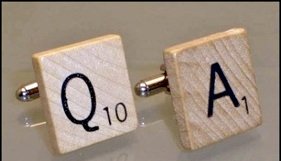
QA doesn’t count in Scrabble but you better believe it does in Imaging

AAEAAQAAAAAAAAayAAAAJGRkY2RkN2E0LTI0MzUtNGIyOC1iMmZhLTUzOThiOTVkM2VmYQ

It’s amazing to me how often I see or hear Imaging Professionals blow by the simple, everyday, and mundane exam QA.  I’m not talking about whether your monitor is up to specs, or your keyboard is clean but the serious bread and butter QA.

The first thing I tell my staff to do daily is, make sure that everything that’s marked as Dictated, is Dictated.  There’s no one magical bullet to doing this and one person’s method may be easier than another’s but the end result is what matters, did we truly leave something unread?

Let’s first understand that although reading images on PACS is much easier than a roto-viewer, fat fingers cause massive waves.  There never seems to be a week that goes by, that someone reading doesn’t close an exam the exact same way they always do.  Whether it’s an interruption by a clinician or technologist, a phone call, or just getting up for a stretch, workflow has been changed.  Some of these interruptions cause exams to have their status changed to Dictated or even Finalized, depending on the system, just by a simple press of button.

Our method is quite simple.  We check anything marked Dictated in our PACS and compare this to our dictation system.  Dictated in PACS and report in VR means read but not signed off.  That’s cool, we’ll give the Rad a nudge and all’s good with the world.  BUT, what if we show an exam marked Dictated and no report shows in our VR?  What happened here?  First things first, get it back out to be read and follow it through.  After completion or during the process, if your radiologist is on top of it, check you logs to see where this mishap occurred.  Most of the time it was changed by a radiologist that was interrupted or got out of their workflow. Hopefully this is a one time occurrence and you’ll never see it again 😉 but not likely.  If it seems to happen often to the same MD, it time to sit with them and watch.  Give an example of what you found in your logs and assist by coming up with a plan to reengage after an interruption.

There are plenty more reasons why a final report may not be your PACS but it won’t be because it wasn’t read and signed off.  Do yourself a favor and make this your first and last functions of the day.  Your radiologists, directors, and more importantly, your patients will appreciate it.

View Cal Freundt's profile on LinkedIn

ILM Doesn’t have to mean “I Lost ‘M”

How often do you hear this question, “So how old are your exams”?  Nowadays, it comes up quite often.  One of our long-term storage (LTS) systems has over 15 years and 27TB of storage.  We decided to make an attempt at getting corporate buy-in to setting up some purge rules.  These rules fall under the Information Lifecycle Management (ILM) of our Enterprise Archive (EA) for PACS.  To do this correctly, you need to set up implementation rules with buy in from your radiology director, radiologists, and compliance officer at your site.

After a brief meeting, set up a basic rule to identify one of your oldest, most insignificant, studies. Maybe someone that would be over 100 years of age and over your state’s retention law.  Be very specific on which exam to purge. Maybe a chest x-ray from a long-term visit to the ICU. The more information you give the rule, the more precise the removal will be.

Now it’s time to push the domino over and let the Goldberg mechanics take over.  If you set up your rules to precisely remove your test exam, you’ve won a prize.  You have learned the details it takes to set up exam removal and you’re on the road to developing a successful ILM.  If it fails to purge your test exam, retest.  Include your vendor’s tech support if needed. They are getting plenty of practice, as of late.

In the future we’ll discuss whether there is even a need not set up an ILM.  It’s never too early to learn what it takes to keep an orderly exam database. More on to come!


View Cal Freundt's profile on LinkedIn